Does Google Maps show toll roads? How to avoid motorways 2026
Navigation and Planning · 2026
Does Google Maps show toll roads? How to avoid motorways in 2026
Are you planning a trip through Europe and wondering if your navigation will correctly calculate travel costs? Google Maps is a powerful tool, but relying solely on it without knowing the vignette systems in the Czech Republic or Austria can result in a hefty fine. Learn how to effectively manage your route in 2026.
🔎 Does Google Maps actually show toll roads?
The answer is: Yes, but with certain limitations. Google Maps can identify many toll roads and motorway sections in Europe and may warn that a route includes tolls. However, the exact wording and available toll information can vary by country, route and app version.
Google Maps should not be treated as the final source for the exact amount you will pay for vignettes or road tolls. Why? The toll systems are too complicated:
- Time-based vignettes: Google doesn't know if you'll buy a vignette for 1 day, 10 days, or a month.
- Vehicle categories: Navigation doesn't always distinguish between a passenger car and a camper with a GVW over 3.5t.
- Toll gates: Toll prices at barriers in Italy or Croatia may change over time, so always verify current tariffs before travel.
📲 How to avoid motorways in Google Maps? Instructions
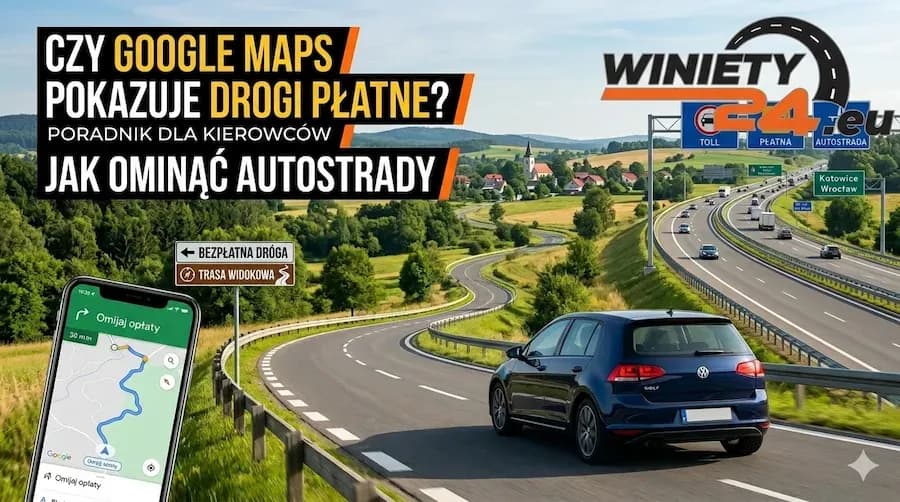
If your budget is tight or you simply want to visit picturesque villages instead of boring motorways, you can ask Google Maps to prefer a route that avoids tolls.
Step-by-step in the mobile app:
- Enter your destination (e.g., Venice or Split).
- Click "Directions".
- In the top right corner, click the three dots (Menu).
- Open the section with route preferences.
- Enable "Avoid tolls" and, if you also want to avoid motorways, enable "Avoid motorways". The location of these switches may differ between Android, iOS and web versions.
After checking these options, Google will recalculate the route. Remember to check if the new road does not lead through countries where a vignette is required even on lower category roads (although this is rare, it is worth being vigilant).
⚠️ Navigation traps: Where Google Maps can fail you?
Avoiding toll roads with navigation has its downsides, which many drivers only discover on the road.
1. No distinction between vignettes and toll gates
In Austria, Google Maps may "avoid tolls" by guiding you through mountain passes, but it might forget to mention that some local tunnels are payable in cash on site and are not covered by the vignette system.
2. Problems with campers and trailers
The standard Google Maps setting is for passenger cars. If you are driving a vehicle combination weighing over 3.5t, the navigation may direct you onto a road with a no-entry sign for trucks or under an overly low overpass. In such cases, avoiding motorways is extremely risky.
⚖️ Is avoiding motorways actually worth it?
Let's do a quick simulation for the Poland - Croatia (Istria) route.
| Feature | Motorway Route (Vignettes) | Toll-Free Route (Detours) |
|---|---|---|
| Toll cost | approx. 150-250 PLN (Czech Republic + Austria + Slovenia) | 0 PLN |
| Travel time | approx. 10-12 hours | approx. 16-19 hours |
| Fuel consumption | Stable (cruise control) | Higher (frequent braking, mountains, traffic lights) |
| Comfort | High (service areas, stations) | Low (stress, narrow roads, speed cameras) |
Conclusion: Avoiding motorways saves money on vignettes, but generates additional fuel costs (often approx. 50-100 PLN more) and drastically prolongs the journey. If you are traveling with children or with a dog to Italy, an additional 5 hours in the car can be very burdensome.
🧭 Waze and other alternatives for drivers
Waze can be useful for live traffic reports, incidents and community-reported hazards, while dedicated camper or truck navigation apps may offer more vehicle-specific routing options. None of these tools should be treated as the final authority on vignette requirements, vehicle categories or toll exemptions.
Before entering a toll road, compare your planned route with the current rules for the country you are crossing and check whether your vehicle requires a time-based vignette, a distance-based toll system or an additional section toll.
FAQ – Frequently Asked Questions about Google Maps and tolls
Does Google Maps show vignette prices?
Google Maps may show that tolls apply, but it should not be relied on as the definitive source for vignette prices or purchase options. You can check official and current prices on Winiety24.eu.
How to set in Google Maps that I have already purchased a vignette?
Google Maps does not provide a universal Europe-wide setting where you register every vignette you already own. Available toll-pass or route-preference options depend on the country and app version, so the safest approach is to verify the route separately against the applicable vignette rules.
By avoiding toll roads in the Czech Republic, will I drive through city centers?
Usually yes. Toll-free roads in the Czech Republic and Austria often lead through built-up areas, which involves numerous speed limits of 30/50 km/h and speed cameras.
Is Waze navigation better for avoiding tolls?
Waze can be useful for community-reported road events and alternative routing, but it should not be treated as an authoritative source for vignette requirements or toll exemptions.
Check your tolls before you drive
Google Maps is useful for route planning, but toll and vignette requirements should be checked separately because driving without a required vignette can lead to significant penalties. Buy your vignette online and use motorways stress-free.
Buy a vignette for Austria Buy a vignette for the Czech Republic